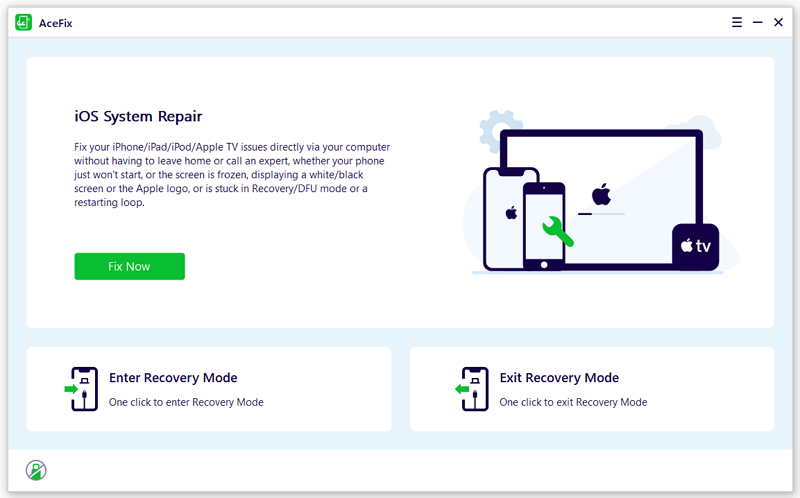
AceFix iOS System Repair

Fix iPhone and iPad System Issues Yourself

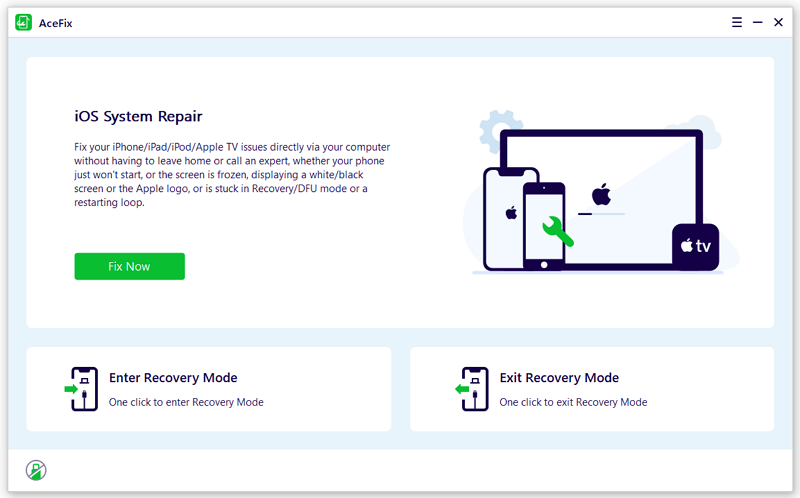
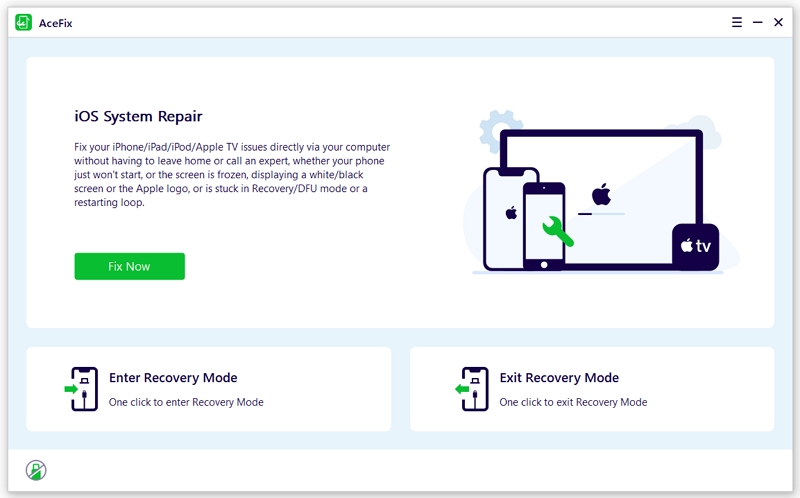
  • Repair common iPhone and iPad system issues safely and easily.
  • Resolves iPhone stuck in Apple logo, loading screen, black screen, ect without deleting your personal data.
  • Enter and exit Recovery Mode with a single click.
  • Upgrade or downgrade your iOS system without relying on iTunes.
  • Fully compatible with all iOS versions and devices including the entire iPhone 17 series.
Available for:
AceFix iOS System Repair

Comprehensive iOS System Repair Solutions

Do not let a software glitch ruin your day. Our advanced repair technology targets and eliminates severe iOS malfunctions at their core. Bring your dead or frozen device back to life instantly without losing a single photo or message.
Download Now

iPhone Stuck in Apple Logo

Bypass Apple logo and restore full access to your home screen when force restart fails.

iPhone Stuck in Loading

Quickly clear the endless loading screen and get your operating system running smoothly again.

Fix Black Screen of Death

Turn your screen back on and regain total device control without sacrificing your stored data.

iPhone Restart Loops

Stop the continuous reboot cycle and rescue your system from white screens and fatal software crashes.

Fix Unresponsive iPhone

Instantly revive a completely frozen device and restore normal touch functionality.

 iPhone Stuck in Recovery Mode

Instantly rescue a device trapped in Recovery Mode after a software update gone wrong.

iPhone Not Turning On/Off

Safely reboot devices that refuse to turn on or shut down after a sudden crash or failed update.

Fix iPhone Update Stuck

Push past frozen progress bars and stalled update verifications to complete your installation safely.

Two Powerful Repair Options


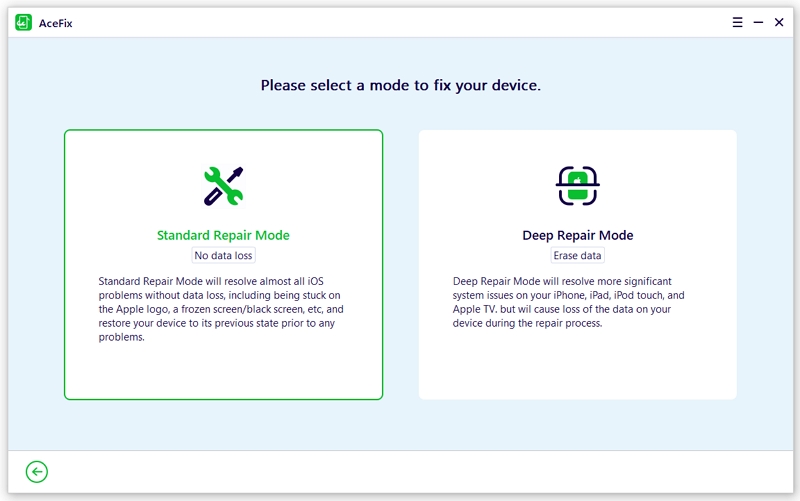
Standard Repair Mode

Resolve the most common system glitches on your iPhone or iPad while keeping all your photos, contacts, and personal data completely intact.

Deep Repair Mode

Tackle severe and complex system failures. This advanced process erases all data to successfully rebuild a severely damaged operating system.

Enter and Exit Recovery Mode Instantly

Enter Recovery Mode

Bypass broken physical buttons and completely unresponsive screens. AceFix pushes your device into Recovery Mode instantly with a single click. This feature is absolutely free and protects your personal data entirely.

Exit Recovery Mode

Rescue a device trapped on the connect to computer screen after a failed software update or system restore. AceFix pulls your iPhone out of Recovery Mode instantly and gets your operating system running normally again.

Repair Your iOS System in 3 Simple Steps

iMocker streamlines the process of changing the iPhone GPS to the greatest extent, making it so user-friendly anyone can use it.

  • Step 1. Connect your device
    Open AceFix and select iOS System Repair. Connect your iPhone to the computer and click the Start Repair button.
  • Step 2. Select a mode
    Select Standard Repair or Deep Repair based on your system issue. AceFix will automatically fetch the firmware for your device.
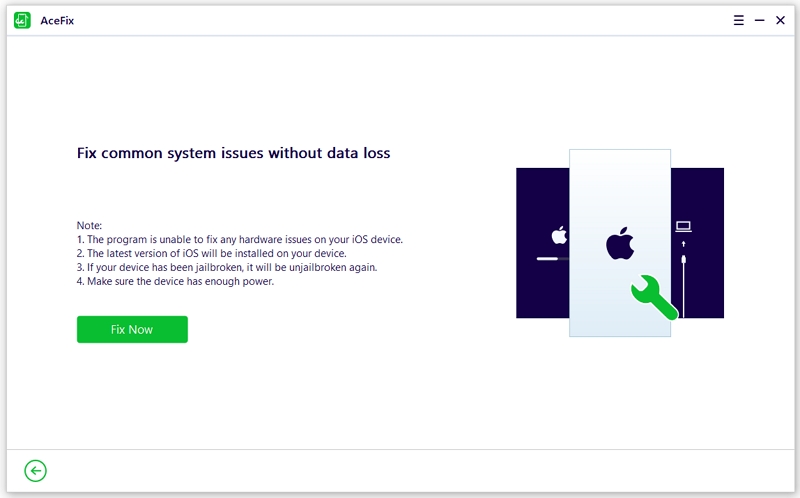
  • Step 3. Fix iOS Automatically
    Click Start once the download finishes. The repair process runs automatically without requiring any technical expertise.
Safe.
Certified Quality
Aceclicks guarantees a secure and premium software experience. Our applications are officially notarized by Apple to ensure absolute protection against malware and unauthorized access. We continuously optimize our software for the latest Windows and macOS releases to deliver flawless performance every time you use it.
Get started

Trusted by Top Tech Media

"The ultimate iOS repair utility"

This is the easiest way to fix system issues for your iPhone or iPad.
Patrick Meyer
VP of Product

"Highly intuitive and user friendly"

The app is reliable and friendly for customers and smart people will find that they like it too.
Sophie Moore
VP of Design

"AceFix could be just the app for you"

You do not need any special skills to use it to fix your iPhone or iPad.
STAFF WRITER
VP of Marketing

Fix Apple System Issues Yourself

Available for:

Compatibility

Supported Apple Devices:
iPhone: iPhone 17 series, iPhone 16 series, iPhone 15 series, iPhone 14 series, iPhone 13 series, iPhone 12 series, iPhone 11, iPhone 11 Pro, iPhone 11 Pro Max, iPhone XS, iPhone XS Max, iPhone XR, iPhone X, iPhone 8 (Plus), iPhone 7 (Plus), iPhone 6s (Plus), iPhone SE, iPhone 5
iPad: All models of iPad Air, iPad mini, iPad Pro and iPad
iPod touch 7, iPod touch 6, iPod touch 5, iPod touch 4, iPod touch 3, iPod touch 2, iPod touch 1

Supported Computer and Device Systems:
Windows: Win 11/10/8.1/8/7/Vista/XP
macOS: 13(macOS Ventura), 12(macOS Monterey), 11(macOS Big Sur), 10.15 (macOS Catalina), 10.14 (macOS Mojave), Mac OS X 10.13 (High Sierra), 10.12(macOS Sierra).
iOS: iOS 26, iOS 18, iOS 17, iOS 16, iOS 15, iOS 14, iOS 13, iOS 12, iOS 11, iOS 10, iOS 9

Frequently Asked Questions

Are the Recovery Mode features completely free

Entering and exiting Recovery Mode are completely free features. You can use these specific tools with a single click without purchasing a premium license.

Will I lose my data during the repair process?

The Standard Repair mode preserves all your personal data including photos and messages. The Deep Repair mode tackles severe software damage and will erase your device completely to rebuild the system.

Does the software support the newest iOS versions?

Our software is fully updated to support all Apple devices and operating systems including iOS 26 and the entire iPhone 17 lineup.

Do I need to install iTunes to use this software?

You do not need iTunes. Our software operates completely independently to fetch official firmware and repair your system without relying on iTunes or Finder at all.
Aceclicks uses cookies to personalize your experience on our website. By continuing to use this site, you agree to our privacy policy. OK